








Description
Capture Life in One Second
Overview
1 Second Everyday Diary is a multimedia journaling tool designed to help users preserve daily moments through one-second video clips. The application enables individuals to record brief, meaningful videos each day and compile them into a personalized timeline that reflects their life journey. This approach transforms ordinary routines into a visual narrative, allowing users to revisit emotions, milestones, and everyday joys over time. The software is particularly suited for personal reflection, memory preservation, and creative self-expression. It is ideal for individuals seeking a simple yet powerful way to document their lives without the burden of lengthy video creation.
Developed by 1 Second Everyday, P.B.C., the app emphasizes minimalism and consistency. Users can capture content directly within the app or select a one-second clip from their device’s media library. Each recording is automatically timestamped, ensuring chronological accuracy. The software supports daily reminders via alarms, helping users maintain a consistent recording habit. With the ability to create multiple timelines, users can organize memories by theme, event, or period. The interface is designed for intuitive use, making it accessible to both tech-savvy users and those new to digital journaling. While the core functionality is available at no cost, advanced features such as unlimited projects, music integration, and watermark removal are restricted to premium subscribers.
Key Features & Capabilities
- Daily One-Second Video Capture – Users can record a single second of video each day directly within the app, promoting a consistent habit of self-documentation.
- Clip Import from Device Library – The app allows users to select one-second segments from existing media stored on their device, offering flexibility in content creation.
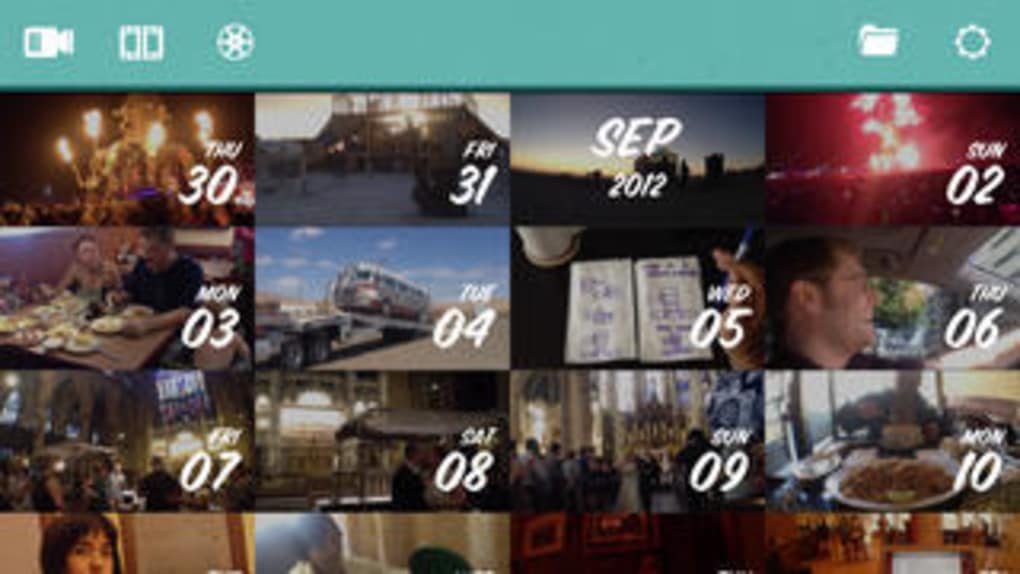
- Automatic Timestamping – Every video snippet is tagged with the date and time of recording, ensuring accurate chronological organization.
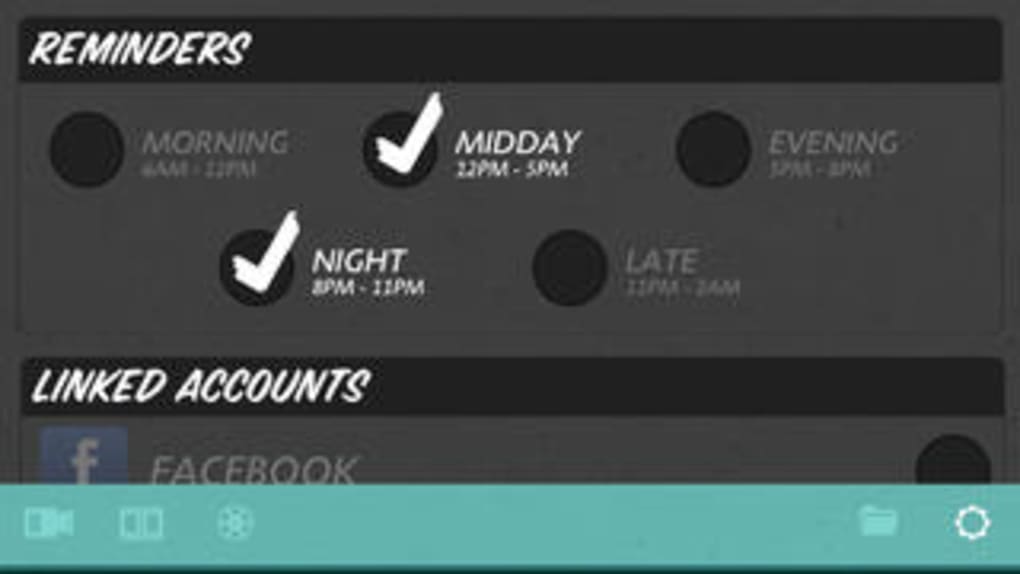
- Daily Reminders via Alarms – Users can set alarms to receive notifications, helping them stay consistent with their daily recording routine.
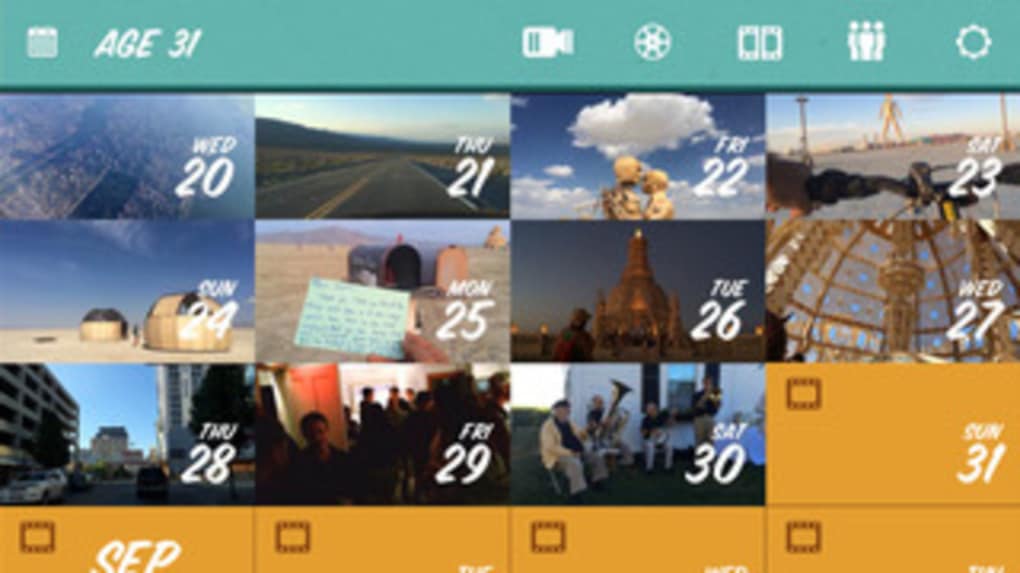
- Multiple Timeline Creation – The software supports the development of several distinct timelines, enabling users to categorize memories by life events, goals, or personal projects.
- Direct Social Media Sharing – Completed timelines can be shared directly to platforms such as Instagram, Facebook, and YouTube, facilitating public or private sharing.
- Free-to-Use Core Features – The basic functionality, including recording, organizing, and sharing, is available at no cost.
- Premium Feature Access – Advanced capabilities like unlimited projects, music integration, watermark removal, and extended clip duration are available through a subscription.
These features collectively support a structured, low-effort approach to digital memory keeping. For example, a user documenting a fitness journey can create a timeline of daily progress, using one-second clips to show small improvements over time. Similarly, a parent might use the app to capture fleeting moments with a child, building a heartfelt visual diary that spans years. The app’s emphasis on brevity encourages mindfulness and intentional living, turning routine actions into meaningful records.
User Interface, Workflow & Performance
The user interface of 1 Second Everyday Diary is designed with simplicity and clarity in mind. Navigation is straightforward, with a central dashboard that displays active timelines, recent clips, and upcoming recording reminders. The layout is clean, minimizing visual clutter and focusing attention on core actions: recording, organizing, and sharing. Users can access recording tools with a single tap or click, and the process of selecting or importing a clip is intuitive.
Workflow efficiency is enhanced by the app’s built-in alarm system, which helps users maintain consistency. The timeline creation process is streamlined, allowing users to group clips by date or custom labels. While specific performance metrics were not provided, the software operates as a lightweight desktop application with a file size of 35.2 MB, suggesting efficient resource usage. The developer did not specify resource usage details, but typical behavior for similar applications indicates stable operation across standard systems. Stability and responsiveness appear to be prioritized, with no reported issues related to crashes or freezes. The app functions smoothly during recording, playback, and timeline compilation, maintaining a consistent user experience.
Compatibility & System Requirements
1 Second Everyday Diary is compatible with both Windows and Mac operating systems, making it accessible to a broad user base. The software is available in version 1.0.1 and has a file size of 35.2 MB, indicating a compact installation footprint. This size suggests the application is optimized for quick setup and minimal disk usage. However, exact system requirements were not listed, including details about RAM, CPU, or minimum OS versions. The developer did not provide additional system requirements, so users should ensure their device meets general desktop application standards.
Installation is straightforward, and the app runs as a standalone desktop application without requiring additional runtime environments. Platform compatibility information is limited to the two major desktop platforms, with no mention of Linux or other systems. Users should verify their system’s compatibility before downloading. The absence of detailed hardware specifications means that performance may vary depending on individual configurations, though the lightweight nature of the software suggests broad compatibility across modern desktops.
Pros and Cons
Pros
- Simple, intuitive interface ideal for daily use
- Encourages consistent habit formation through reminders
- Supports multiple timelines for organized memory tracking
- Free core features with no cost to start
- Lightweight installation at just 35.2 MB
- Direct sharing to major social media platforms
Cons
- Advanced features require a premium subscription
- Limited to one-second clips without upgrade
- Exact system requirements not disclosed
- No built-in backup options in free version
- Music integration and watermark removal only available with premium
FAQ Section
Is 1 Second Everyday Diary available for both Windows and Mac?
Yes, the software is compatible with both Windows and Mac operating systems, allowing users across platforms to access its core features.
Can I use my own video clips from the device library?
Yes, users can select a one-second segment from their existing media files to include in their diary, offering flexibility beyond in-app recording.
Is the app safe to use and does it collect personal data?
The app functions as a local desktop application, and no public information was provided about data collection practices. Users are advised to review the privacy policy for detailed information.
Are updates free and how often are they released?
Updates are available at no cost, and the latest version is 1.0.1. The release date was April 5, 2024, with no information on update frequency.
Can I use the app offline?
Yes, the application operates without requiring an internet connection once installed, enabling full functionality for recording and organizing clips offline.
Final Thoughts + CTA
1 Second Everyday Diary offers a unique and thoughtful approach to personal documentation by turning daily moments into a cohesive visual story. Its minimalist design, combined with essential features like alarms, timeline creation, and social sharing, makes it an effective tool for memory preservation and self-reflection. While advanced capabilities are locked behind a subscription, the free version delivers substantial value for users committed to consistent, meaningful journaling. The lightweight nature and cross-platform availability enhance accessibility, and the focus on simplicity ensures a low barrier to entry.
For individuals seeking a structured, low-effort way to document their lives, this app stands out as a powerful yet unobtrusive companion. Whether used for personal growth, creative expression, or family storytelling, it transforms ordinary days into extraordinary memories. The ability to build a personal timeline from just one second a day is both innovative and deeply human.
Download 1 Second Everyday Diary now
Guides & Tutorials for 1 Second Everyday Diary
How to install 1 Second Everyday Diary
- Click the Preview / Download button above.
- Once redirected, accept the terms and click Install.
- Wait for the 1 Second Everyday Diary download to finish on your device.
How to use 1 Second Everyday Diary
This software is primarily used for its core features described above. Open the app after installation to explore its capabilities.
User Reviews for 1 Second Everyday Diary 0
No reviews found





